Driving Licence (DL) Renewal Online Guide
Step-by-step complete guide on how to renew your expired or expiring Driving Licence online via Parivahan Sewa. Check fees, grace period, Form 1A medical requirements, and state-wise RTO rules. After applying, you can easily perform a driving licence status check online.
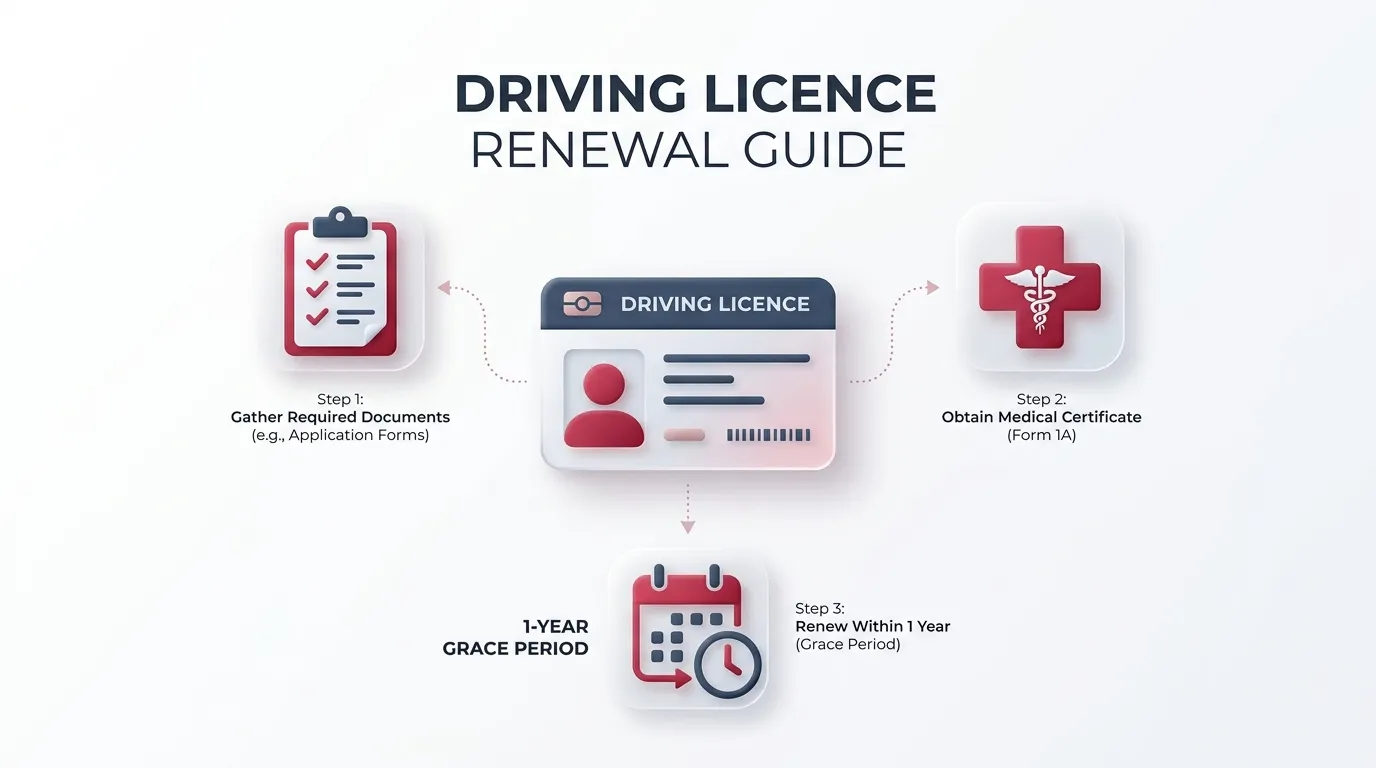
What is Driving Licence Renewal? (ड्राइविंग लाइसेंस रिन्यूअल क्या है?)
In India, a Driving Licence (DL) is not valid forever. The Motor Vehicles Act requires every driver to renew their licence before or immediately after its expiry date. If you fail to renew your DL within the grace period, you will be liable to pay hefty late fines, and driving with an expired DL is considered an offence that can result in vehicle seizure and challans up to ₹5,000.
DL Validity Rules (Private vs Commercial)
Licence validity depends entirely on the type of vehicle you drive and your current age:
- Private Vehicles (Non-Transport): Valid for 20 years from the date of issue OR until you reach 40 years of age (whichever comes first). After age 40, you must renew it every 10 years, and after age 50, every 5 years.
- Commercial Vehicles (Transport): Valid for 5 years only. For vehicles carrying hazardous goods, the validity is strictly 3 years.
Grace Period & Late Fine Rules
The Government provides a 1-year grace period from the exact date of expiry. During this 1 year, you only pay the standard renewal fee (₹200) without any penalties. However, driving during this grace period without actually renewing the licence is still illegal.
| Time of Renewal | Consequence / Fees |
|---|---|
| Up to 1 year BEFORE expiry | Standard ₹200 fee. No test required. |
| Up to 1 year AFTER expiry (Grace) | Standard ₹200 fee. No late fine. |
| 1 Year to 5 Years AFTER expiry | Late fine of ₹1,000 per year + ₹300 fee. |
| More than 5 Years expired | Licence is permanently dead. Must apply for a fresh Learner's Licence and give driving test again. |
Step-by-Step Online Renewal Process (ऑनलाइन रिन्यूअल कैसे करें)
Gone are the days of standing in long queues at the RTO. In 2026, over 90% of RTOs in India support Contactless Aadhaar eKYC renewal. Follow these exact steps:
- Visit the official portal: sarathi.parivahan.gov.in
- Select your State from the dropdown menu.
- Click on "Apply for DL Renewal" in the driving licence services menu.
- Read the instructions and click "Continue".
- Enter your existing DL Number and Date of Birth exactly as printed on the card.
- Aadhaar eKYC: Select "Submit via Aadhaar Authentication". An OTP will be sent to your Aadhaar-linked mobile number. (If you do this, no RTO visit is required).
- Verify your details. If you are over 40, download Form 1A, get it signed by a doctor, and upload the scanned PDF.
- Pay the renewal fees online using Debit Card, UPI, or Net Banking.
- Print the fee receipt. Your new Smart Card DL will be printed and dispatched via Speed Post within 7-15 days.
Advanced Cases & Issues (SEO Gold coverage)
1. Commercial DL Renewal
Transport/Commercial licence renewal is stricter. It is valid for only 5 years, and a Medical Certificate (Form 1A) is mandatory regardless of your age. Additionally, a Police Verification Certificate (PVC) or driver training refresher course certificate may be required in states like Delhi and Maharashtra.
2. Simultaneous Address Change with Renewal
Yes, you can change your address while renewing! When you log in, select both "Renewal of DL" and "Change of Address in DL" checkboxes. You will have to upload valid address proof (Aadhaar, Passport, Voter ID) and pay an extra ₹200 fee for the address change service.
3. NRI Driving Licence Renewal
Non-Resident Indians can renew their Indian DL online. Parivahan now accepts international mobile numbers for OTP in select states, or you can use your Indian registered number. If Form 1A is required, an Indian Embassy authorized doctor or a recognized foreign medical practitioner can sign it.
4. Old Booklet to Smart Card Renewal
If you have an old paper booklet or handwritten DL, it must first be digitized. Go to "Services on DL", enter your details, and apply for "Backlog Entry". Once the RTO digitizes your record online, you can proceed with the standard online renewal.
State-Wise RTO Renewal Rules
While the Parivahan portal is central, processing times and physical visit rules vary by State RTOs.
Delhi RTO (Sarai Kale Khan, etc)
- 100% Faceless (Aadhaar eKYC)
- No RTO visit required
- Speed Post delivery in 7 days
Maharashtra RTO (Mumbai, Pune)
- eKYC supported
- Upload Form 1A online
- 10-15 days processing time
Karnataka RTO (Bangalore)
- Biometrics often required for old DLs
- May need physical RTO visit if photo is blurred
- 15+ days delivery
Uttar Pradesh RTO (Lucknow, Noida)
- 100% online for Smart Cards
- Paper DLs require physical verification
- 7-10 days delivery
Frequently Asked Questions (FAQs)
Can I renew my DL after 5 years of expiry?
No. As per the Motor Vehicles Act, if your licence has been expired for more than 5 years, it is permanently invalid. You cannot renew it. You must apply for a fresh Learner's Licence and undergo the driving test again.
Do I need to give a driving test for renewal?
No driving test is required if you renew within 1 year before or 1 year after expiry. If you renew after the 1-year grace period but before 5 years, some RTOs may require you to pass a short refresher test.
Is Form 1A Medical Certificate mandatory for everyone?
No. Form 1A is only mandatory if you are above 40 years of age OR if you are renewing a Commercial/Transport driving licence regardless of your age.
How can I track my renewal status?
You can visit the Parivahan portal, click on 'Application Status' in the top menu, and enter your Application Number and Date of Birth to see live processing status and Speed Post tracking number.
What if my renewal application is rejected?
The most common reason for rejection is an unclear signature or an improperly filled Medical Form 1A. You will receive an SMS stating the reason. You can log back into Parivahan and re-upload the correct document without paying fees again.